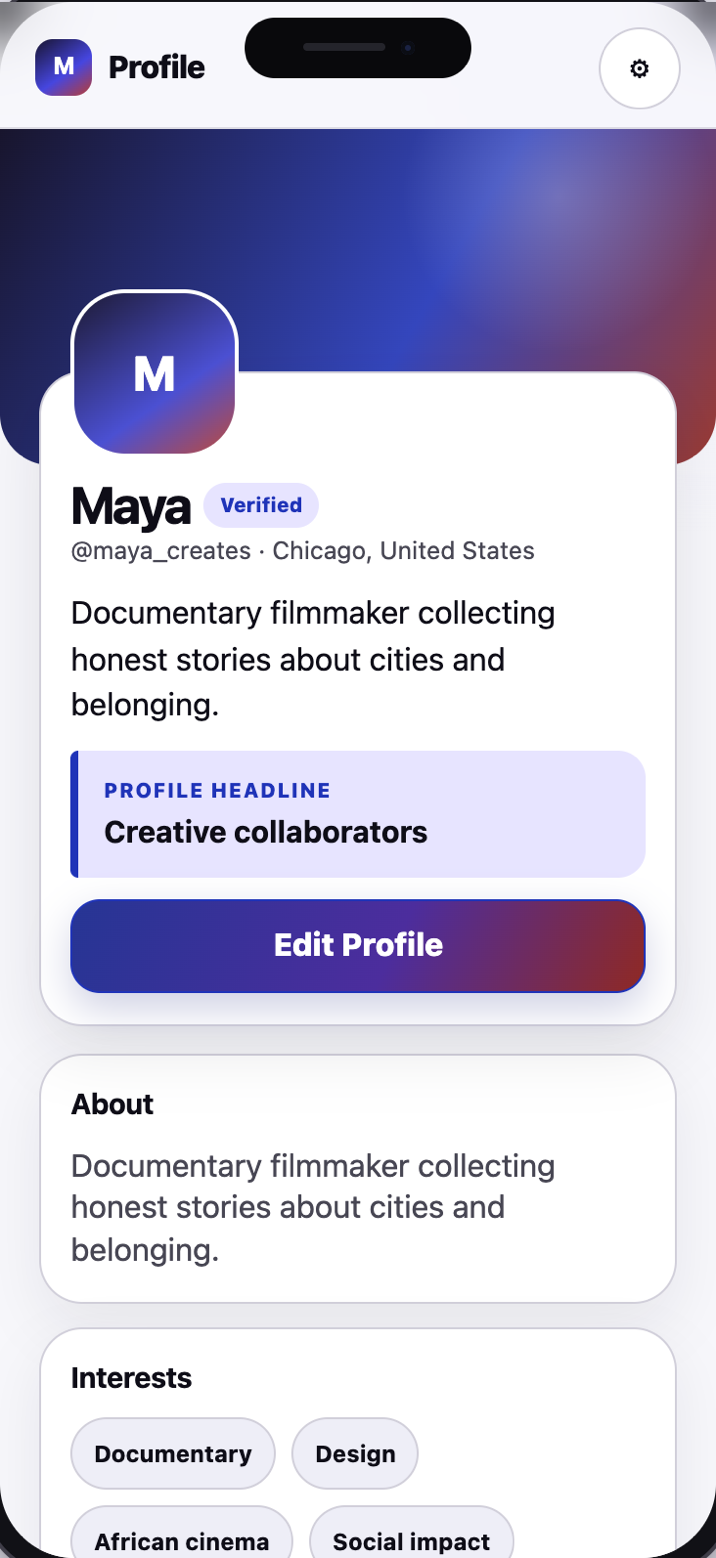
Discover people through the interests and goals that matter to you. When the interest is mutual, connect and continue on the social accounts you already use.
A sample profile shows the context someone chooses to share before connecting.
Collecting followers is not the goal.
Finding aligned people is.
One focused experience
Discover.Connections.Profile.
Three clear spaces help you move from relevant discovery to a mutual connection without building another feed.
01 · Discover
✦
See people with a reason
Discover people through shared interests and stated goals. Each introduction explains the common ground instead of asking you to judge a photo alone.
✦
You both care about documentary storytelling and social impact.
02 · Connections
⌁
Choose the connection together
Send a connection request with an optional note. A connection forms only after the other person accepts, and either person can later disconnect, block, or report.
MConnectedA
03 · Profile
◎
Show who you are right now
Your profile combines your story, current goals, interests, what you hope to find, and the social profiles you choose to share.
DesignChicagoCollaborate
Connect here. Continue there.
Meshcue helps you find the connection. Your socials help it grow.
Add links to the profiles you already use. Meshcue keeps discovery focused, then opens the social destination you selected—without replacing your audience, content, or identity there.
InstagramLinkedInYouTubeTikTokBlueskyDiscordMore
Social profile visibility
One link. Your boundary.
◉
Public
Visible on your profile before you connect.
⌁
Connections only
Revealed only after both people choose to connect.
◇
Only me
Kept off your public profile.
Your profile, not a résumé
Enough context to make the first move meaningful.
Your profile can change as your interests, work, location, and connection goals change.
01
Current goal
Say what kind of connection would be useful now.
02
Interests
Use interests and context to make discovery more relevant.
03
What you hope to find
Name collaborators, mentors, local friends, or the people who fit the moment.
04
Selected social profiles
Share only the destinations and visibility level you choose.
Connection needs boundaries
Privacy is part of the introduction.
Meshcue is designed around mutual consent, clear visibility choices, and controls that remain available after you connect.
⌁
Connections-only sharing
Links marked “Connections only” appear after an accepted connection request. Public links remain public, and links marked “Only me” remain private.
◌
No hidden posting
Adding a social link does not authorize Meshcue to follow, post, or message through that account.
◇
Controls stay close
Disconnect, block, report, manage link visibility, or delete your account from the app.